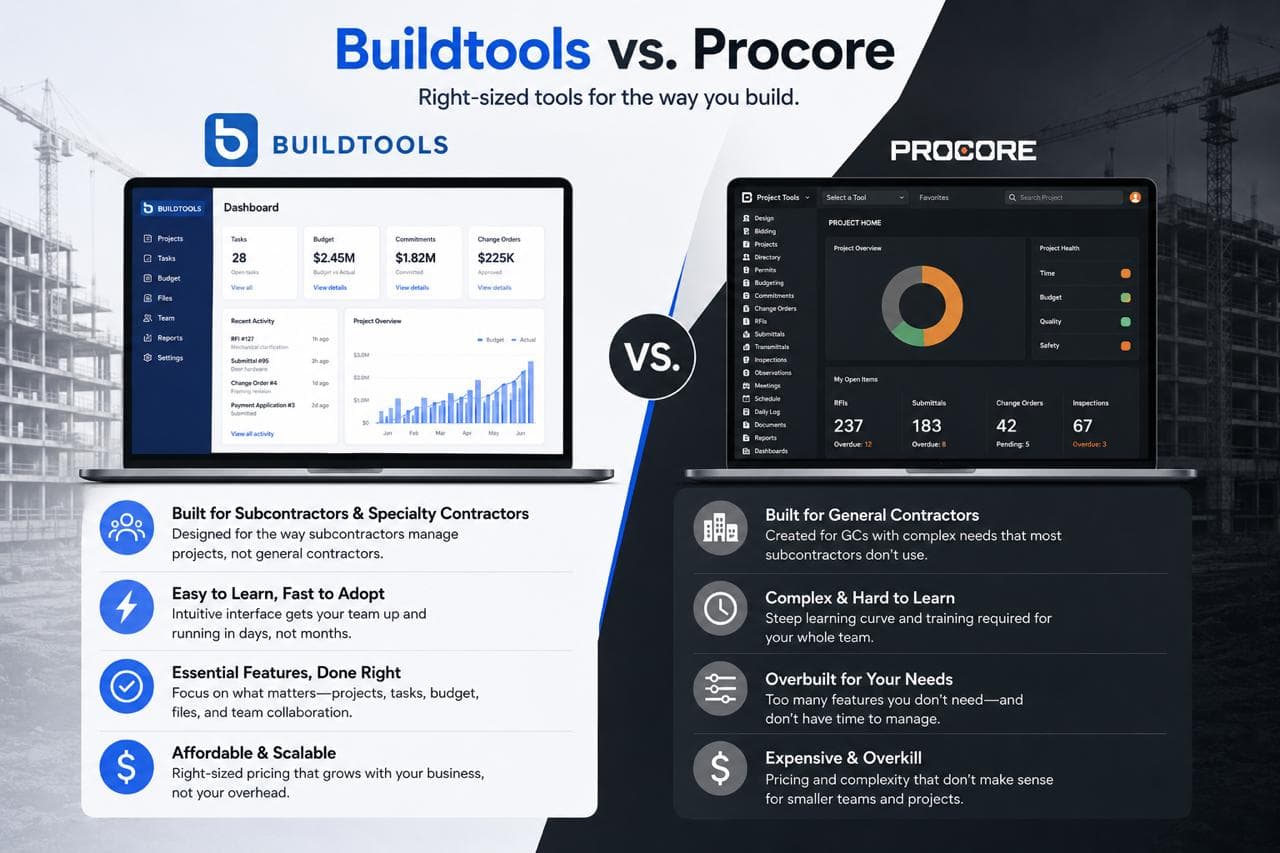
A lot of builders eventually ask the same question: Should we use Procore?
It's a fair question. Procore is one of the most recognized names in construction software. It's built around unlimited users, unlimited storage, custom annual contracts, and a model designed to connect owners, general contractors, specialty contractors, and other project stakeholders on a central platform. They have a homebuilder offering, a strong enterprise reputation, and a serious go-to-market machine.
So the question isn't whether Procore is capable. It is.
The better question is what kind of platform a custom builder, luxury remodeler, or mid-market contractor should organize their business around: a coordination platform built for many external stakeholders, or a builder operating system built around how the work actually flows.
That's where BuildTools wins.
The short answer
Procore is a coordination platform. Its core problem is connecting many parties — owners, GCs, specialty contractors, designers, consultants — across complex projects with heavy documentation, submittals, and RFIs.
BuildTools is a builder operating system. Its core problem is helping the builder run the job — budgets, schedules, selections, change orders, documents, photos, invoices, draws, lien waivers, client approvals, QuickBooks workflows — with AI doing the administrative work so the team can focus on building.
Both are real problems. They're just not the same problem.
If your business is a 200-stakeholder commercial development tracking thousands of submittals, Procore is built for that. If your business is custom residential or remodeling, where the real margin pressure comes from selections, change orders, vendor invoices, and client communication — BuildTools is the platform built for the work you actually do.
The pricing story matters more than Procore wants it to
This is where the comparison gets uncomfortable for Procore.
Procore charges an annual fee based on Annual Construction Volume (ACV) — the aggregate dollar value of the construction work across the customer's projects. The cost scales with construction volume, so even a small percentage can translate to tens of thousands of dollars. Industry analysts describe Procore typically charging in the ballpark of 0.1%–0.2% of project hard costs, which on a multi-million-dollar job adds up fast.
That model has a logic for owners and large GCs. It has a different feeling for a custom builder.
It means: as your revenue grows, your Procore bill grows with it. Contractors report annual renewal increases between 5% and 14%, and Procore's own financial filings show a 114% Net Revenue Retention rate, meaning existing customers paid roughly 14% more on average year over year. As of Q3 2024, the average Procore customer was paying about $1,000 more each month than they were in Q1 2023.
For a $5M to $50M custom builder or remodeler, that's a meaningful problem. You didn't grow your revenue so your construction software could take a percentage of it.
BuildTools is built around the opposite principle: predictable, transparent pricing that doesn't punish you for having a good year.
Coordination vs. operating system: why the distinction matters
Procore's strength is breadth across stakeholders. It's designed to be the central hub where the owner, the GC, the architect, the engineers, the consultants, and the subs all collaborate on documents, submittals, RFIs, and change orders.
That's genuinely useful — on the projects where that's the actual problem.
For a custom builder or remodeler, the problem looks different. The builder doesn't need a stakeholder collaboration platform. The builder is the coordination layer. What they need is software that helps answer the questions they're asked every day:
- What changed on this job?
- Is the budget current?
- Has the owner approved this selection?
- Has the change order been priced and signed?
- Which invoices are tied to this draw?
- Are lien waivers handled?
- What did the super document from the field today?
- What does QuickBooks know, and what's still operational truth?
Those are operating questions. BuildTools is designed around them — and around the daily reality that a custom builder is running 8 to 30 jobs simultaneously, not one mega-project.
Where BuildTools really separates: AI as the foundation
This is the part most construction software comparisons miss.
Procore has been adding AI features. Their AI layer, Helix, includes components like Agent Builder in open beta, with tier placement pending — and AI capabilities are expected to increasingly sit behind Premier pricing. That's the standard pattern across the category: AI as a feature inside the legacy platform, often locked to higher tiers.
BuildTools is the opposite. The platform was rebuilt from scratch on a modern, open stack with AI embedded throughout — not as a feature, as the architecture.
What that looks like in practice:
Virtual Project Management. Talk to BuildTools the way you'd talk to a project coordinator. "Create a punch item on the Gillis project for the painter to touch up the trim in the master bedroom. Assign it to Mike. Due Friday." It's done. No clicks, no menus, no training your team to navigate a UI.
AI Walkthrough Assistant. Walk a job, talk through what you see, and BuildTools captures notes, generates tasks, builds the punch list, and assembles a client-ready report. The thing every super already does on a phone — structured, saved, and shareable.
AI Invoice Processing. Vendor invoices come in, BuildTools reads them, matches them against POs and budgets, flags discrepancies, routes them for approval, and pushes the approved ones into QuickBooks. The hours your bookkeeper spends matching POs disappear.
AI Bid Review. Drop in three subcontractor bids and BuildTools verifies they actually match the specs and selections, highlights scope gaps, and shows you which bid is genuinely apples-to-apples.
BuildTools Intelligence. AI-assisted budgets, specifications, and schedules trained on how custom builders actually work — not generic LLM output.
This isn't roadmap. It's the platform.
QuickBooks-native, not QuickBooks-compatible
For most custom builders, QuickBooks isn't going away — and shouldn't.
The failure point in this category isn't accounting software. It's the gap between accounting and operations. Procore is designed to integrate with full ERPs like Sage 300 CRE and Spectrum — that's the world it lives in. BuildTools is designed around the QuickBooks-plus-operations reality that most custom builders and remodelers actually run.
Budgets, change orders, invoices, draws, selections, and lien waivers live in a workflow that connects daily field truth to financial reality before the project is already off track.
Built by builders — and that means something specific here
"Built by builders, for builders" gets used loosely in this category. In BuildTools' case, it has a specific meaning.
BuildTools was originally founded by Sven Gustafson, a fourth-generation custom home builder running Stonewood (founded 1947). He built BuildTools the first time because the software his company needed didn't exist. He sold it to ECI Software Solutions in 2020. Five years later — after watching the platform sit largely static under enterprise ownership while the AI revolution rewrote what software could do — he bought it back.
The rebuild isn't a refresh. It's a ground-up reimagining of construction management with AI as the foundation, on a modern, open stack with APIs at the core.
That matters because builder-led product instinct asks different questions than enterprise product instinct does:
- Will the super actually use this on a phone with one hand?
- Does this help accounting, or does it create another cleanup job at month-end?
- Does the project manager see the truth quickly, without a dashboard tour?
- Does this protect margin before the damage shows up in QuickBooks?
- Does the client get clarity without being exposed to internal chaos?
Those questions drive what gets built and what doesn't.
Procore vs. BuildTools: where each fits
Procore may be the right fit if:
- You're operating at enterprise commercial scale with many external stakeholders
- You need heavy submittal, RFI, and document control workflows across owners, architects, engineers, and consultants
- You have ERP integration requirements (Sage 300 CRE, Spectrum, etc.)
- You have the internal resources to manage implementation, training, and ongoing administration
- ACV-based pricing aligns with your business model
BuildTools is the better fit if:
- You're a custom builder, luxury remodeler, or mid-market contractor
- You want budget, schedule, selections, change orders, documents, photos, invoices, draws, and lien waivers connected in one workflow
- You want AI built into the foundation — voice-driven PM, AI walkthroughs, AI invoice processing, AI bid review — not bolted on as a premium tier
- You run on QuickBooks and want operations and accounting to actually talk to each other
- You want predictable pricing that doesn't grow as a percentage of your revenue
- You'd rather work with a builder-led team than navigate enterprise procurement
The verdict
Procore is a serious platform. It's the right answer for the right project — large commercial work with heavy stakeholder coordination and complex documentation requirements.
But for custom builders, remodelers, and mid-market contractors deciding what their operating system is going to be for the next decade, the question isn't whether to force enterprise software into a custom residential business. The question is whether the platform you're committing to was built for what construction looks like in 2026 — AI as the foundation, builders in control, and software that earns its place every day.
That's BuildTools.
If you're searching for a Procore alternative built around how custom builders and remodelers actually work, that's the demo to book.